
Order Type and Pre-orders

We’re excited to announce that we’ve introduced much awaited features that are order type and pre-orders. We’ve also gone further and crafted those features to be for each branch.

Now you can go to each branch and choose which order type it provides which are Delivery only, Pickup only or both. Also, if the branch is made to receive scheduled orders (pre-orders), they you can also define it for that particular branch. Of course, this is also linked to the branch business hours.

Order Type

Hope you enjoy those features and thanks for your feedback as we’re always committed to increasing your business sales.


If your restaurant is looking for an online ordering system
contact us now.


Branch Business Hours

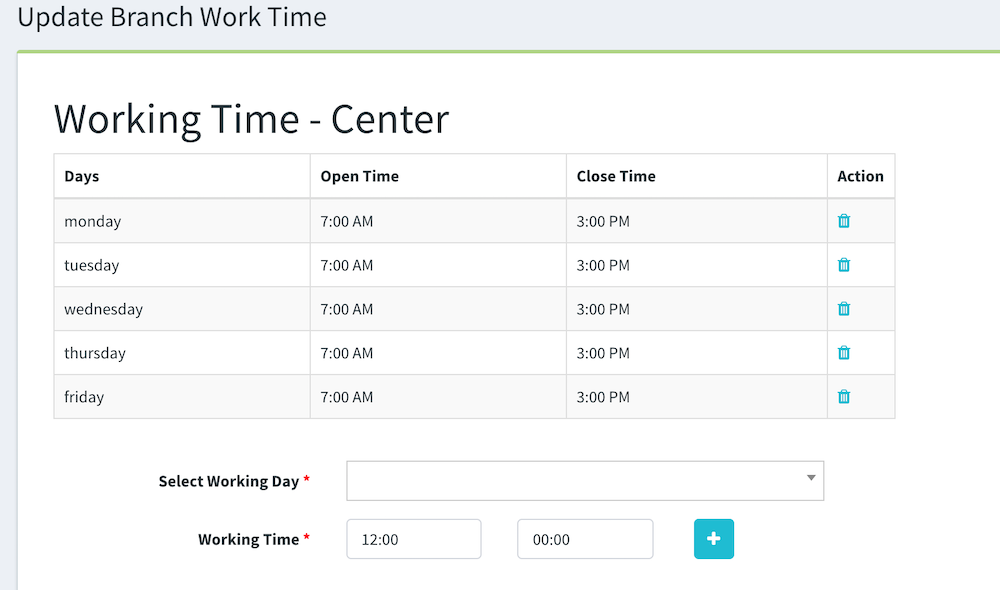
No more orders at times when you’re not working. We’ve released our new feature that allows you to define your business hours. Also, you can define that per branch as they may vary from one another as per your feedback.

Business Hours

To define the business hours, just go to Manage Branches, then click on the calendar icon next to each branch and choose the days along with their times. Once the business hours are set up, your customers will be to place orders while it’s open and, if not, they’ll be aware while checking out. So they will only be able to place a scheduled order rather than a “Now” order as you can’t fulfill it. For more features, visit the website.


If your restaurant is looking for an online ordering system

contact us now.